Millwright: the three layers of a malleable UI
The local AI budget post was about how to get value out of your local GPU. This one is about seeing more from your data — how millfolio renders model-generated analytics without ever letting a model touch markup, styles, or the DOM. The feature is called Millwright, and it’s built as three nested layers, each one a plain data contract the client validates before rendering.
Layer 1: the widget — typed results, not markup
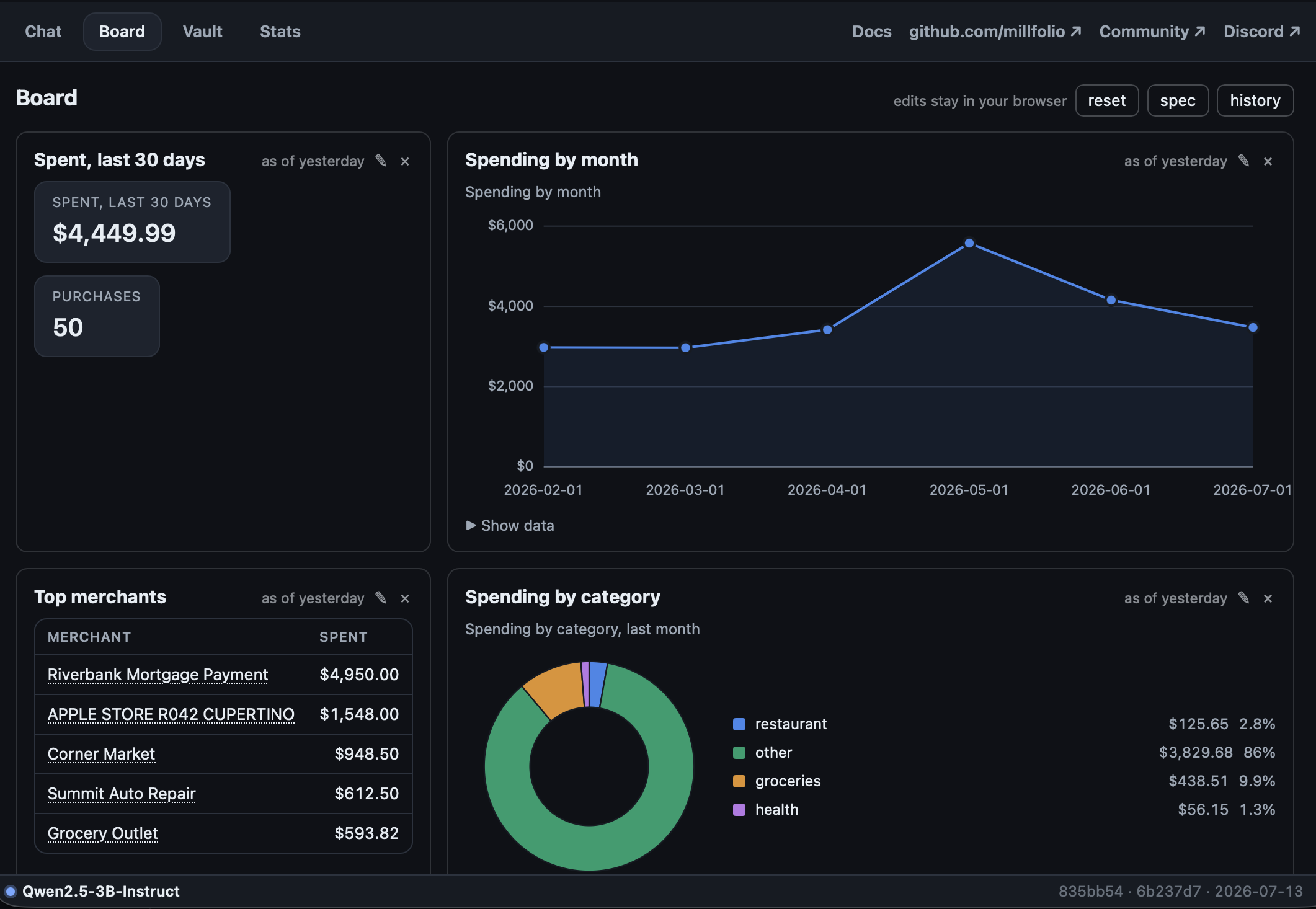
A widget’s content is the output of a small program — the same sandboxed programs that answer one-off questions in Ask. A program never returns HTML or markdown. It returns a result spec: a versioned JSON envelope of typed blocks —
{ "v": 1,
  "text": "Your top 5 merchants over the last 3 months.",
  "data": [{ "kind": "table",
             "headers": ["Merchant", "Spent"],
             "rows": [[{ "type": "text",  "value": "WHOLE FOODS" },
                       { "type": "money", "raw": 612.4, "text": "$612.40" }]] }] }
Every value is typed — money crosses the boundary as {raw, text} so the
chart axis uses the number and the label uses the exact formatted string; the
client never parses "$612.40" back out of a display string. Besides tables
there are KPIs, time/category series, share-of-whole pies, and an offline
proportional-symbol map. The renderer picks the visualization from the data’s
shape; the program only says what the data is.
This is the trusted-chrome invariant: programs produce data, the chrome manages interactions. When a table column is tagged as a merchant or tag, the chrome — not the program — turns cells into deep links into your Vault records. A generated program can’t inject a link any more than it can inject a script tag, because there is nowhere in the contract to put one.
Layer 2: the Board — a semantic, versioned spec
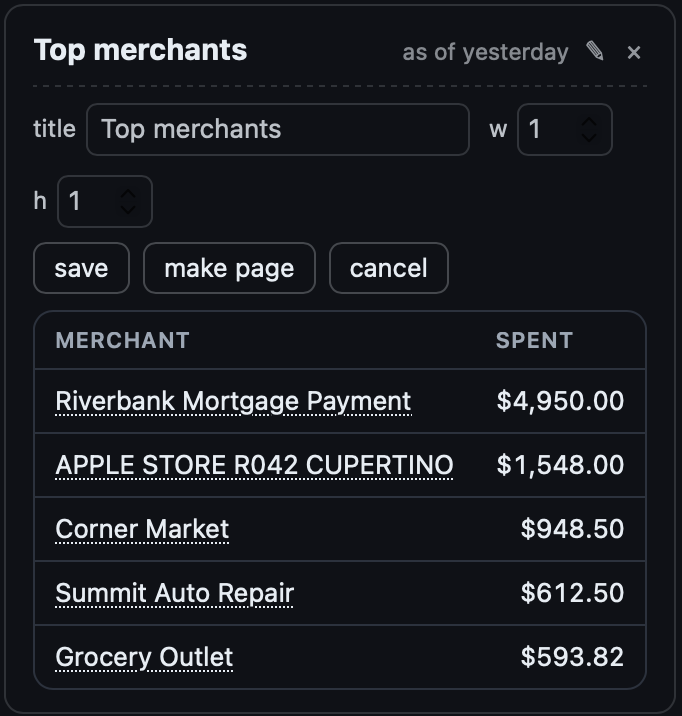
The Board itself is another plain document: an ordered list of widgets, each with an id, a title, a size hint, and a pointer to the program that computes it. Editing is where it gets interesting. Every change — resize a tile, edit a program, remove a widget — produces a new content-addressed version of the spec (a 16-hex FNV-1a of its bytes), appended to a version log. The “current” board is just a pointer into that log, so undo is a pointer move, and an edit that breaks something can’t destroy the earlier version of the board.
Before any candidate spec is accepted — whether it came from the inline ✎ editor or from the model — it passes a validator: widget ids must be path-safe and unique, referenced programs must exist, remote URLs are rejected outright, and structural limits are enforced. The model proposes; the validator disposes.
Layer 3: pages — additive navigation
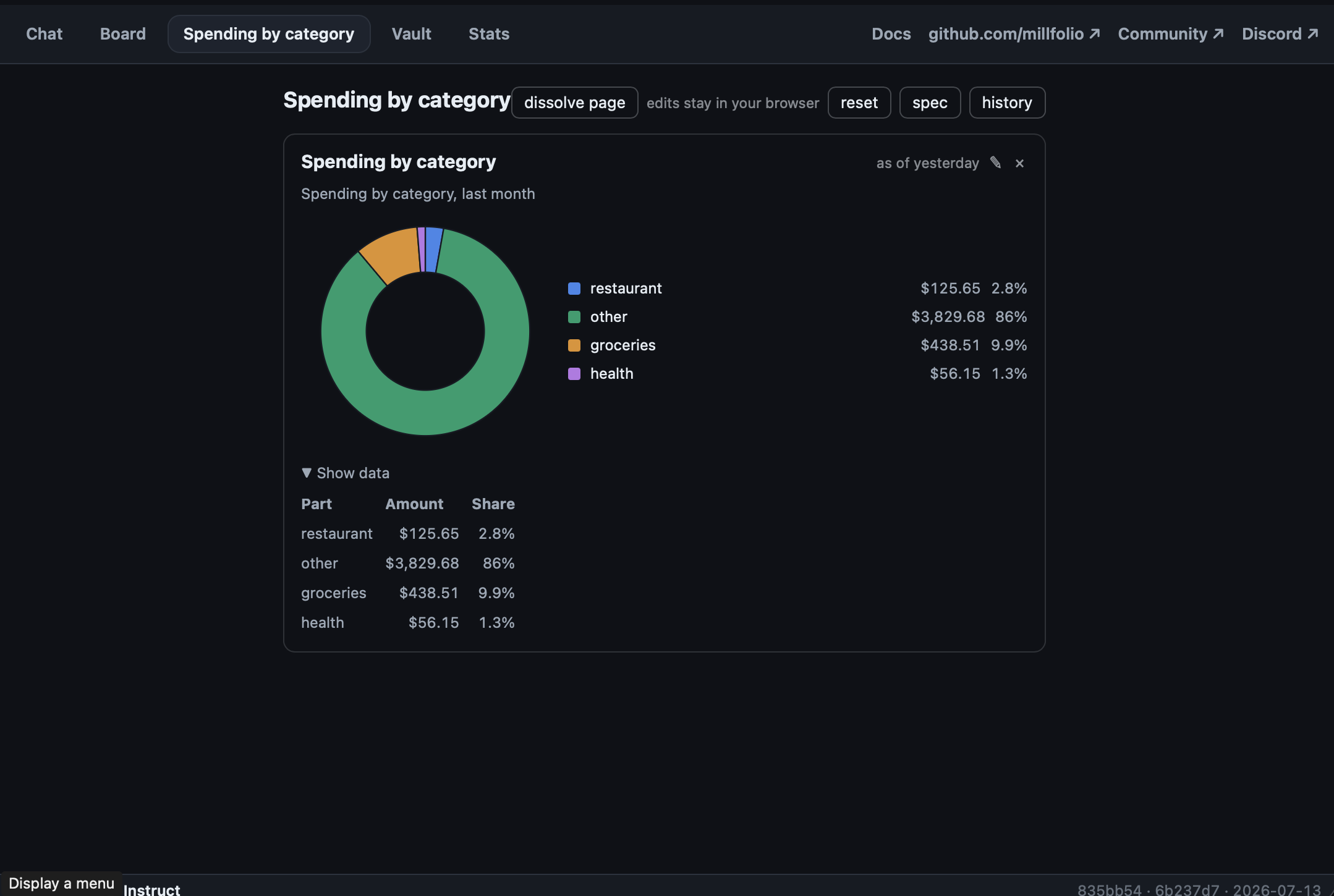
A group of widgets can be promoted into a page — it gets its own top-level
nav button next to Ask and Vault, and dissolving the page returns its widgets
to the Board. Pages are the same spec document (a pages[] section), the same
versioning, the same validator — with one extra rule: navigation changes are
additive-only. Generated edits can add a page; they can never rename or
remove the built-in tabs. The parts of the UI you rely on to inspect what
the model did are not themselves editable by the model.
Why layers instead of letting the model write UI
The obvious alternative would be to have the model emit HTML/JSX and sandbox it. The downside of that approach is that you can’t diff it, you can’t validate it structurally, you can’t revert it by moving a pointer, and every render is a security decision. Three data layers give the opposite trade: every model contribution is a document you can inspect, version, validate, and refuse — and the pixels are always drawn by code that shipped with the app.
The same layering is what makes the public demo safe to expose: the demo board is the identical machinery over a synthetic vault, with edits kept in your browser’s localStorage — same hashing, same validator, same chrome.
Try it: demo.millfolio.app — edit a widget with ✎, break it, and revert.